
[HOWTO] PowerShell NuGet package creation with JetBrains TeamCity
Hi, this is Marc Rufer from d-fens GmbH. I started working at d-fens as a Software Engineer this week. I already wrote some posts and I’ll continue sharing information about […]
 d-fens GmbH
Audit and Consulting of Information Systems and Business Processes
Anything related to technology
Hi, this is Marc Rufer from d-fens GmbH. I started working at d-fens as a Software Engineer this week. I already wrote some posts and I’ll continue sharing information about […]

Prerequisites The following requirements have to be met for creating a build job for a C# project. Running TeamCity instance (Setup manual can be found here) MS Build Tools have […]

Installation The first part of this post describes the installation of TeamCity 9.0.4 on a Windows Environment. TeamCity is a continuous integration and deployment server for software projects. TeamCity supports […]
The following xml-file describes the Allman code style for IntelliJ IDEA and the Java-File below shows an example of the code style. This file contains hidden or bidirectional Unicode text that may be interpreted or compiled differently than what appears below. To review, open the file in an editor that reveals hidden Unicode characters. Learn more about bidirectional Unicode characters […]
Recently I needed to check if a function was defined inside a script file. Reflection was my first thought, and PowerShell being a first class .NET citizen should be able to perform this. But as PowerShell is defined as an Abstract Syntax Tree (AST) it is even easier to achieve this. Inside the AST every block (BEGIN, PROCESS, END) is […]
This is just a very short post about the problems I was facing while trying to configure SSO on NSX Manager using the API. The NSX API documentation contains following: POST https://<nsxmgr-ip>/api/2.0/services/ssoconfig Request Body: While testing with this call I always got a http error 403 back. However the credentials used to authenticate against NSX Manager API and the ssoAdminUsername with ssoAdminUserpassword […]

There are several ways on how to create a PowerShell (script) module. And depending on your environment chances are high you are not the only developer contributing to a module. […]

Introduction This Graylog Output Plugin can send short messages (SMS) via the Clickatell Messaging Provider based on messages that are assigned to a specific stream in Graylog. It is based […]
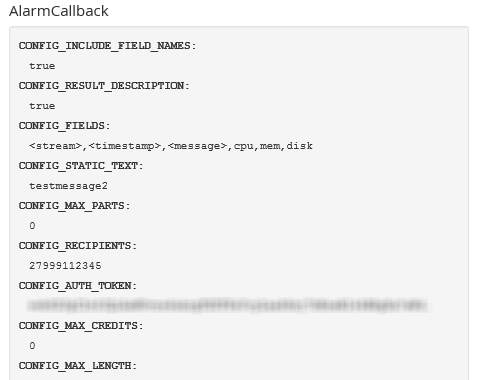
Introduction This Graylog AlarmCallback Plugin can send short messages (SMS) via the Clickatell Messaging Provider based on alert conditions configured in Graylog. It is based on the new version 1 […]
NSX-V 6.1 Configuration Maximums It was not that easy to find this information on the official VMware website. However, during a current NSX-V integration project, we received the following Configuration Maximums table from VMware PSO, including the permission to share the content with the community. Credit goes to Aleksander Bukowinski. As soon as the information will be publicly available, I will insert the link […]
Some time ago I mentioned an error and a possible workaround when using PowerShell with the Clickatell SOAP interface. As Clickatell now provides a REST based interface I thought it is time to quickly show you how to use this API instead. Description When sending SMS you certainly first have to enable the REST API in your developer central account. […]

Introduction Hi, back again and as I promised in my last post, I will show you, how we can change the language in our localized LightSwitch HTML 2013 application. HINT: […]
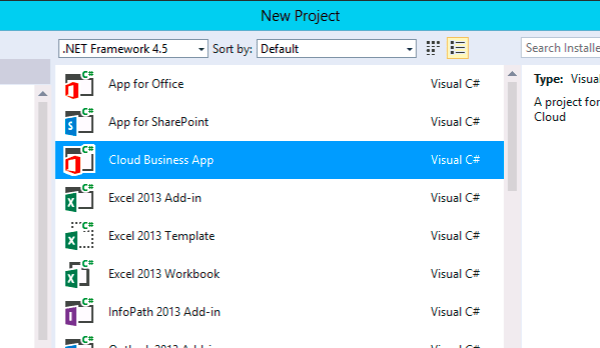
Introduction This article describes building a Cloud Business App with LightSwitch HTML (2013) and SharePoint 2013. As you know, LightSwitch is a fantastic technology to develop fancy and responsive apps. A lot of articles already describes how to build them. Integrating in SharePoint 2013 as an app is also already described in many articles, so I won’t write this again. […]
Introduction LightSwitch is very powerful to build apps, but often, the standard LightSwitch controls, buttons and their appearances do not reflect your needs. In this article, I will show you […]
This post describes how you can extend the Graylog2 AlertCondition mechanism to raise alerts based on the contents of a field (instead of just a message count or a field value). Introduction Currently Graylog2 only allows you to trigger AlarmCallbacks based on either MESSAGE_COUNT Here you define how many messages must be assigned to that stream before an alarm will […]
Introduction UPDATE 2015-02-26 The plugin now works with the Graylog v1 plugin API Following the article about Creating a Graylog2 Output Plugin this post will cover the steps needed to create a filter plugin for Graylog2. While the SCRIPT OUTPUT Plugin enabled a potential user to run scripts for post-processing of messages, the SCRIPT FILTER Plugin will be very creative […]

