This is a quick addition to my previous blog post on how to receive SignalR messages via PowerShell. Once you have established a connection in PowerShell to your SignalR hub you can easily them a message to the server via the ‘Invoke()’ method on the IHubProxy object. In it you specify the name of the method you want to call […]
A quick follow up on my last post regarding TFS and PowerShell. I found it quite amazing that is so little documented and relatively difficult to download a file from TFS to your local machine. I would have expected that the supplied Cmdlets in the TFS Power Tools snapin will just handle that for you, as I find the requirement […]
Today I was playing with TFS Power Tools to check in some PowerShell scripts where I ran into a strange error. Obviously I wanted to use the PowerShell Cmdlets for that you can select via the ‘Custom’ option in the ‘Power Tools’ installer … For a quick intro on TFS via PowerShell you can have a look at PowerShell and […]
Have you ever tried to use ODATA Actions from PowerShell and realized that the Service Reference in your class library does not expose them? You can actually do it via the model’s ‘Execute()’ method. Here is a quick description on how to do it without writing too much URL style code. Let’s presume we have a model referenced in a […]
When working with ODATA sources from PowerShell via a service reference (instead of using explicit REST call via Invoke-RestMethod) the .NET DataServiceClient will use Atom/XML under the hood. This works perfectly well except it consumes much more bandwidth because of the XML data format. As the whole ODATA interface is encapsulated via your service reference it really does not make […]
In this post I quickly describe how you can use the select2 plugin with LightSwitch HTML client and present data from ODATA sources via jaydata. LightSwitch has builtin capabilities for selecting related entities via the ‘Modal Data Picker’ control. You can also have drop down or choice lists with static data, however they lack the convenient search and filter mechanisms […]
When you try to add an assembly that you downloaded from a network share or the internet to your PowerShell session via ‘Add-Type -Path C:\folder\your-assembly-name.dll’ you might a receive an error like this: The result itself could give you a hint and querying the inter you will probably others experiencing the same error as described in Visual Studio Project Sample […]
Graylog2 comes with a very limited alerting feature where you can basically only create alerts based on a single field. However, and thus far I can follow the motivation of […]
Here is a quick post as a reminder because I tend to forget myself and documentation on the Internet is not really pointing you to the solution right away … When using the ADSI provider in PowerShell (for example to use WinNT) and you want to perform the actual operation with different credentials than the currently logged on user you […]
When you try to convert an ip address string into an [IPAddress] object you might end up with a different address than expected. This can happen if you use the ‘leading zero’ notation for IPv4 addresse (which is not really correct, but easier to sort alphabetically). When you create an [IPAddress] with that kind address style, the constructor does internally […]
Today another NoBrainer how you can use PowerShell to do some currency conversions on the fly. The example shown here uses the OANDA(R) currency converter (Note: please read the terms of use if you are entitled to use the API or the web site in a programmatic way.) See Gist at https://gist.github.com/dfch/d5990fdb391fe1b84b76
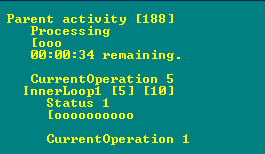
Sometimes I have to write scripts that are executed interactively and actually watched by operators as they progress – I know this sounds strange enough. In these rare cases I […]
When rolling your own Cmdlets you will probably want to expand your module over time possibly adding or editing functions. I order to keep your Cmdlet as a function and not having to reload the module on every code change you can use Splatting (which requires at least PowerShell v3) to simplify developement and debugging. All you have to do […]
When using https request (directly or indirectly) with PowerShell you might run into different errors when using non-standard (i.e. not trusted, expired, self-signed etc) certificates: The underlying connection was closed: Could not establish trust relationship for the SSL/TLS secure channel. The underlying connection was closed: An unexpected error occurred on a send. In either case you will find plenty of […]
Did you ever want to quickly enumerate over all vCenters that are connected with vCAC? without storing hard coded credentials? and never worry when endpoints are added or removed? Here is how …
In vCAC you can set a location on a ‘Compute Resource’. While in some cases this might not make sense (e.g. vCenter stretched clusters) you might still want to use it, for example to implement some placement logic. When you have a look at the object, you might be surprised to see, that there is no attribute of the corresponding […]


 d-fens GmbH